SleepMix / Features
Wake and bedtime tools, explained plainly
SleepMix Pro adds four tools around the edges of the night. Here is what each one does in the current version, including the parts that are simpler than their names suggest.
Wake Alarm is a daily notification
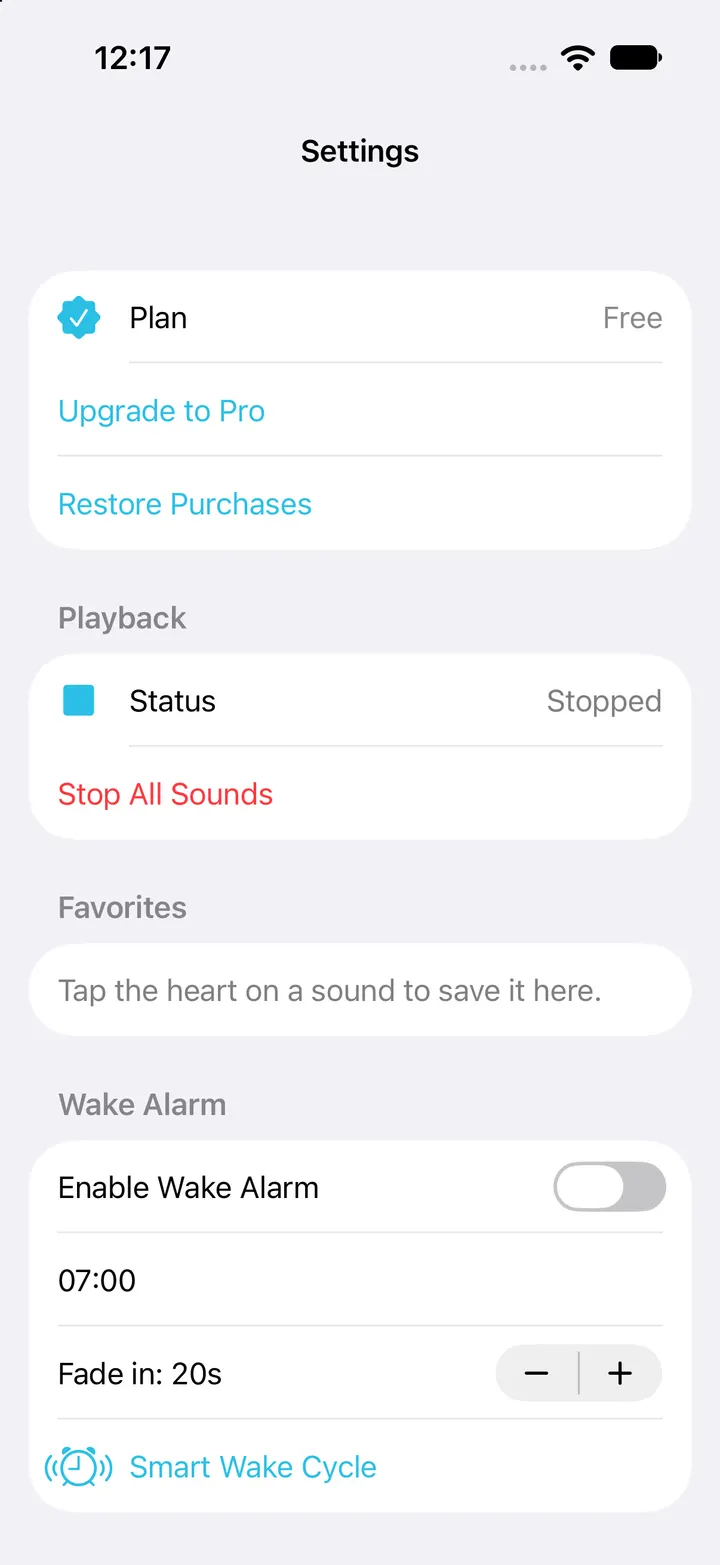
Wake Alarm is a Pro setting in Settings. You choose a time, and SleepMix schedules a repeating daily notification with the standard iOS alert sound. It is marked as time-sensitive, so it can come through a Focus mode that allows such alerts.
In the current version the alarm is the notification itself. It does not fade a sound mix in, and tapping it simply opens the app. A fade-in setting appears on screen but has no audible effect yet, so do not plan around it. Keep the Clock app as your main alarm.
Smart Wake Cycle
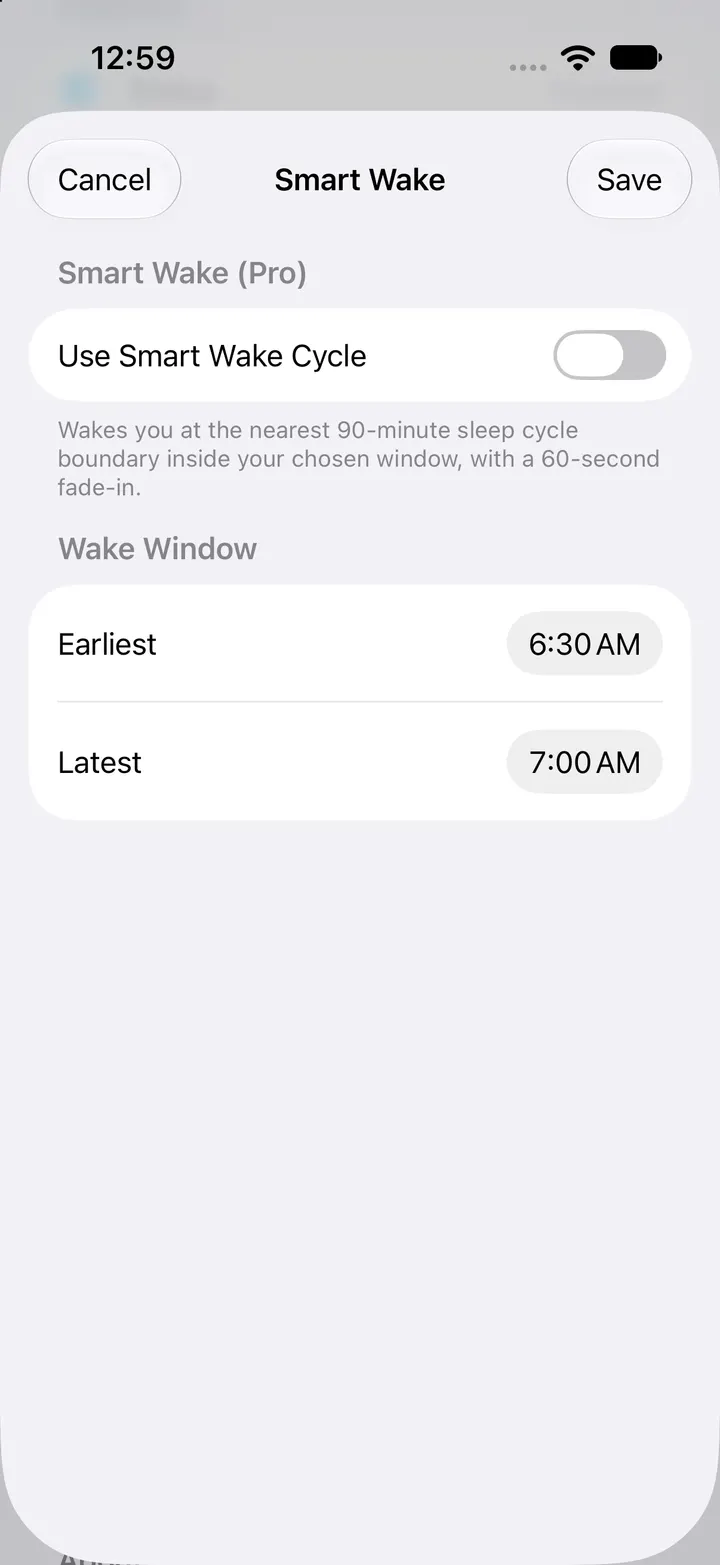
Smart Wake lets you set an earliest and a latest wake time. The app then picks the notification time on a fixed 90-minute grid. This is a clock calculation: it does not listen to you, track movement or measure sleep stages.
The grid currently counts from midnight rather than from when you fell asleep, and with the default 6:30–7:00 window the chosen time can land before the window opens. Check the time the app shows before relying on it, and keep a standard alarm as a backup.
Crescendo raises one sound slowly
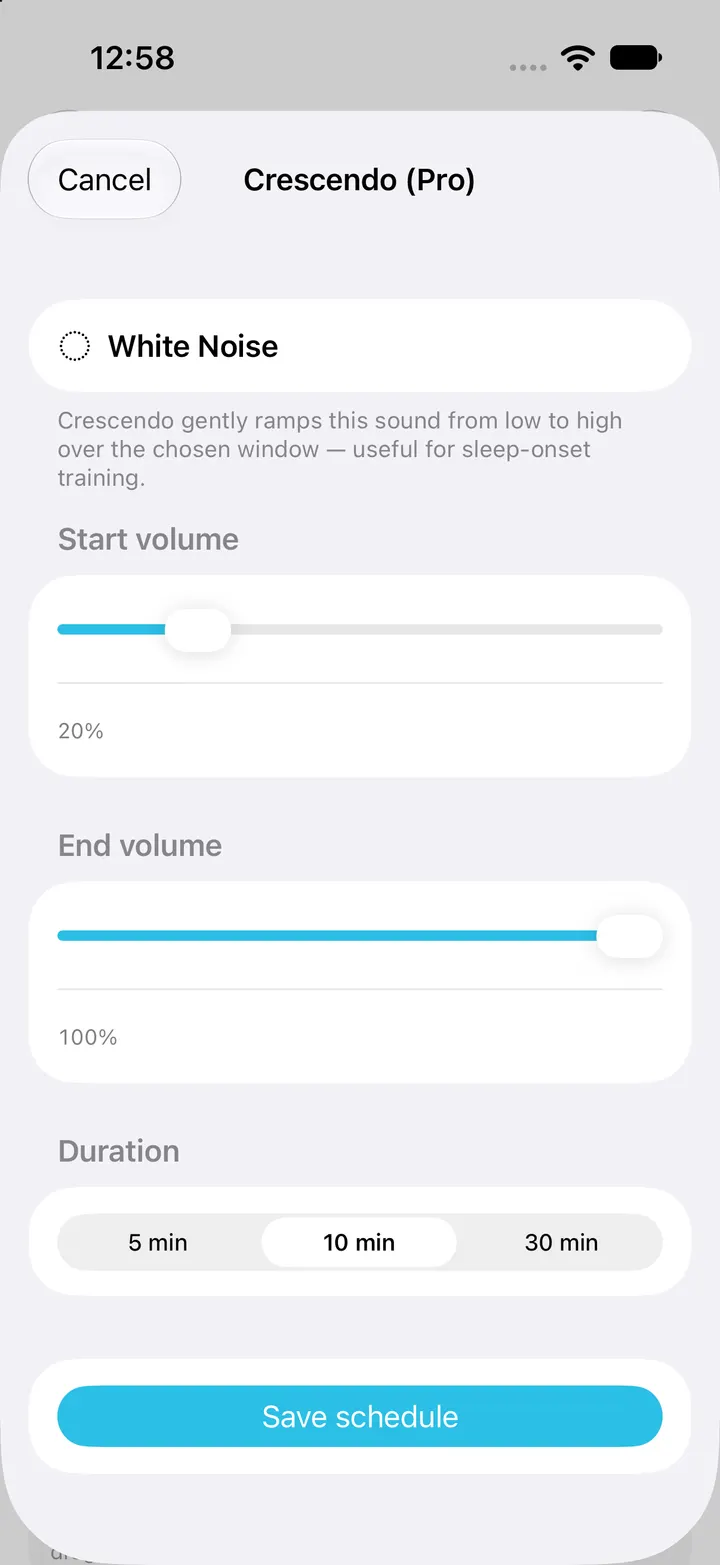
Crescendo is a Pro schedule for a single sound. Set a start and an end level, 20% and 100% by default, and a duration of 5, 10 or 30 minutes. That sound then rises in even steps while the rest of the mix stays where it is. The ramp pauses while playback is paused, and each sound keeps its own schedule.
The levels are positions on the app’s slider, not decibels. Listen from the pillow before leaving a rising sound running, especially on a powerful speaker.
Bedtime reminder
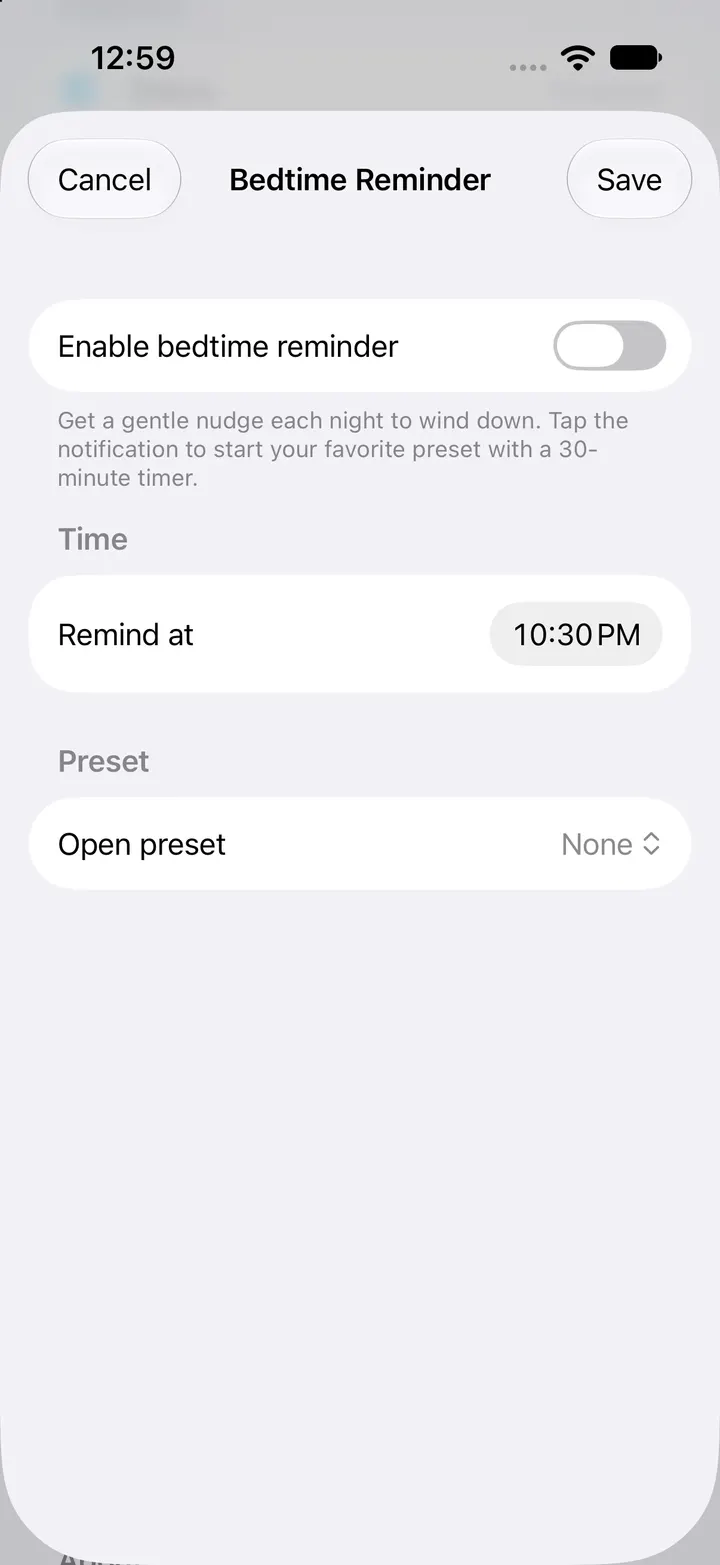
A Pro bedtime reminder sends one notification each night at a time you choose, 10:30 PM by default. You can pick a saved preset, and its name appears in the reminder as a prompt.
Tapping the reminder opens SleepMix. In the current version it does not load the named preset or start a timer for you, so expect to tap the preset yourself. Notifications only appear if you allow them in iOS Settings, and a Focus mode can hold them back.
Checked against the app’s source code and real simulator captures on 28 October 2026. Screenshots come from a clean iPhone simulator; demo or empty states are named in each caption. Features can change in later app updates.