Build your own sleep mix
Pick from the sound library and adjust each sound separately. The master volume lets you soften the whole mix without losing its balance.
See the real screen →SleepMix / iPhone
Build a personal mix from 50+ sounds, save it, then return to it when bedtime comes around.
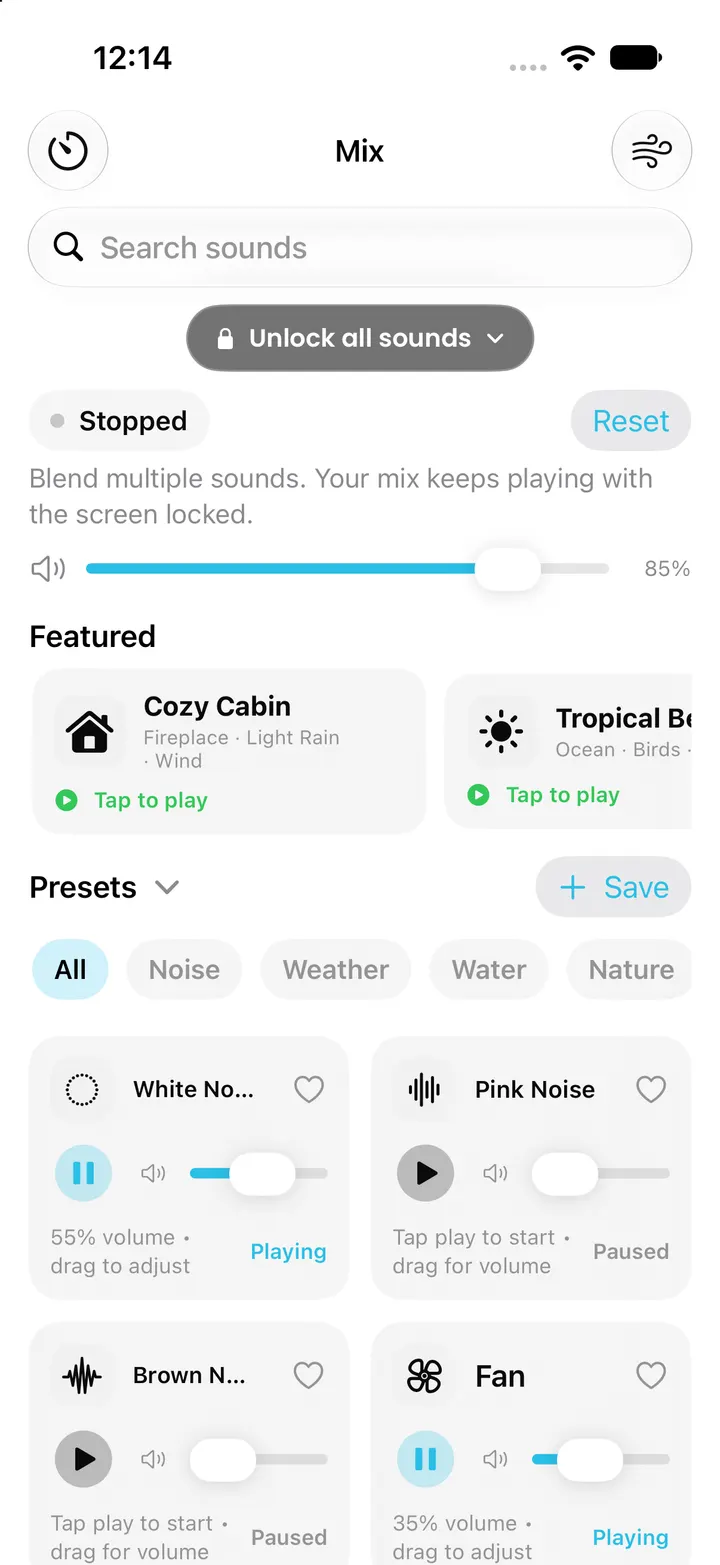
SleepMix includes individual sound sliders, saved presets, a sleep timer and optional Pro controls.
Some features need Pro. The App Store shows the current terms before purchase. Screenshots on the linked pages are actual captures from a clean iPhone simulator, with demo state where identified.
Pick from the sound library and adjust each sound separately. The master volume lets you soften the whole mix without losing its balance.
See the real screen →Save a mix when the blend is right, then recall it on another night.
See the real screen →Try a ready-made scene when you do not want to build every layer. The app includes curated soundscapes such as Cozy Cabin and Tropical Beach.
See the real screen →Follow a visual breathing rhythm while your mix keeps playing. The free 4-7-8 pattern sits alongside Pro Box and custom patterns.
See the real screen →Pro adds deeper sound choices and bedtime controls such as timer fade-out, wake alarm options and additional saved mixes.
See the real screen →SleepMix can fade a mix in as a wake alarm. The setting is optional and requires Pro.
See the real screen →If Pro does not appear after reinstalling the app, open Settings and use Restore Purchases with the same Apple Account.
See the real screen →The first-run questions ask what brings you to the app, then use your answers to suggest a starter mix.
See the real screen →Choose a duration for an active mix and see the countdown in the app.
See the real screen →The optional Pro fade-out lowers sound near the end of a sleep timer instead of stopping all at once.
See the real screen →Sleep Insights summarizes recent use on the device, including a seven-day view after you have listening history.
See the real screen →Smart Wake Cycle chooses a time in your selected window using the app’s 90-minute cycle calculation.
See the real screen →A nightly notification can prompt you to start a favorite preset and a 30-minute timer.
See the real screen →Crescendo can ramp one sound from a lower to a higher level over a chosen window.
See the real screen →Long-press the SleepMix icon to resume a mix, start a 30-minute timer or open timer settings.
See the real screen →The free tier can offer a short rewarded preview of a locked curated mix.
See the real screen →