SleepMix / Features
Build a mix, save it, play it again tomorrow
SleepMix is built around one screen, the Mix. You turn up the sounds you want, balance them against each other and save the result so the next night starts with one tap.
A slider for every sound
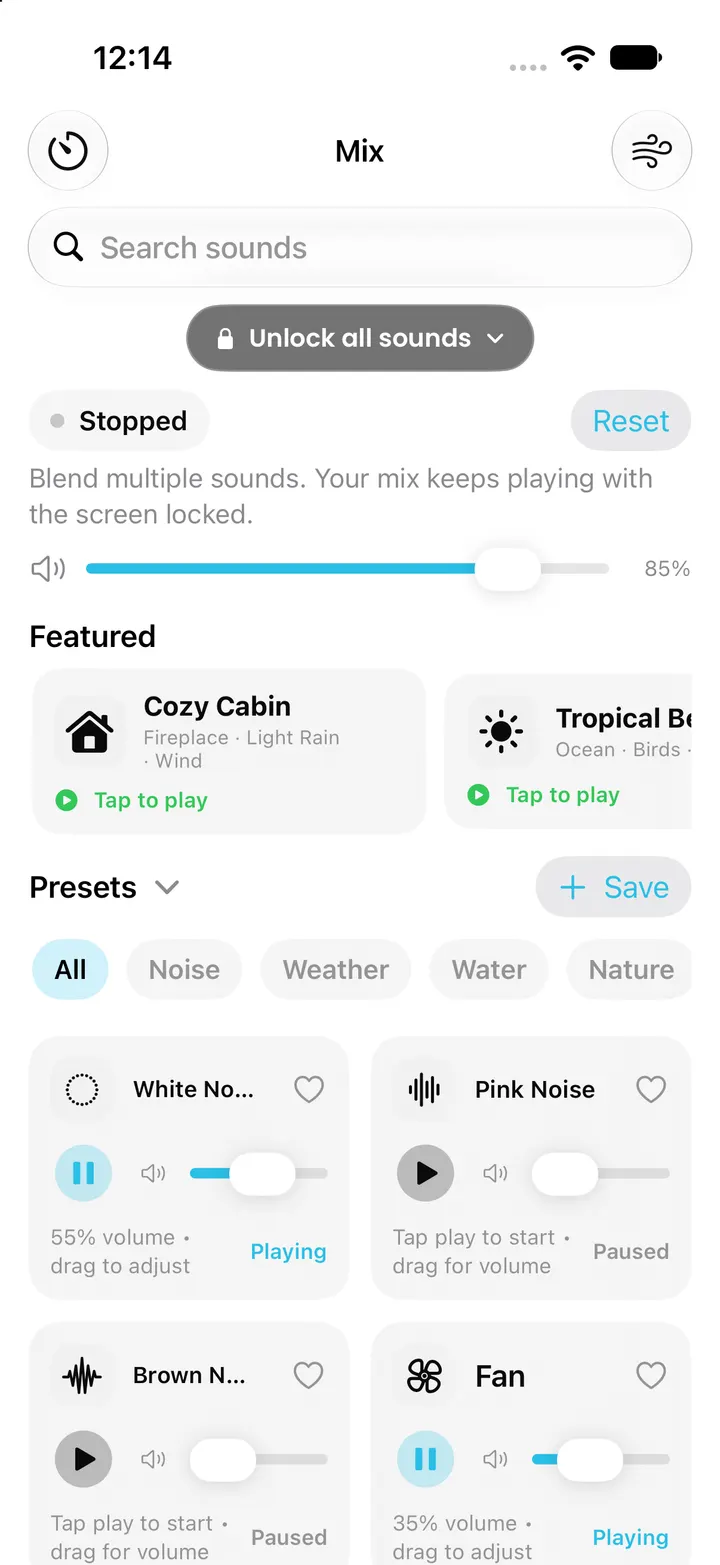
The current version lists 60 sounds in seven groups: noise, weather, water, nature, machines, places and ambience. Twelve are free: White, Pink and Brown noise, Fan, Light Rain, Wind, Stream, Shower, Crickets, Forest, Airplane Cabin and Train Ride. The other 48, including everything in the Places and Ambience groups, need Pro.
Each sound has its own level from silent to full, and a master volume sits above them so you can make the whole mix quieter without losing the balance you built. SleepMix stores both on the phone, so the mix comes back as you left it the next time you open the app.
App sounds are bundled recordings that loop without an audible gap. Some entries are variations of the same recording at a different starting level, so treat the count as a list of options rather than 60 separate recordings. The generator on this website is different again: it creates white, pink and brown noise in your browser and uses no recordings at all.
Save the blend as a preset
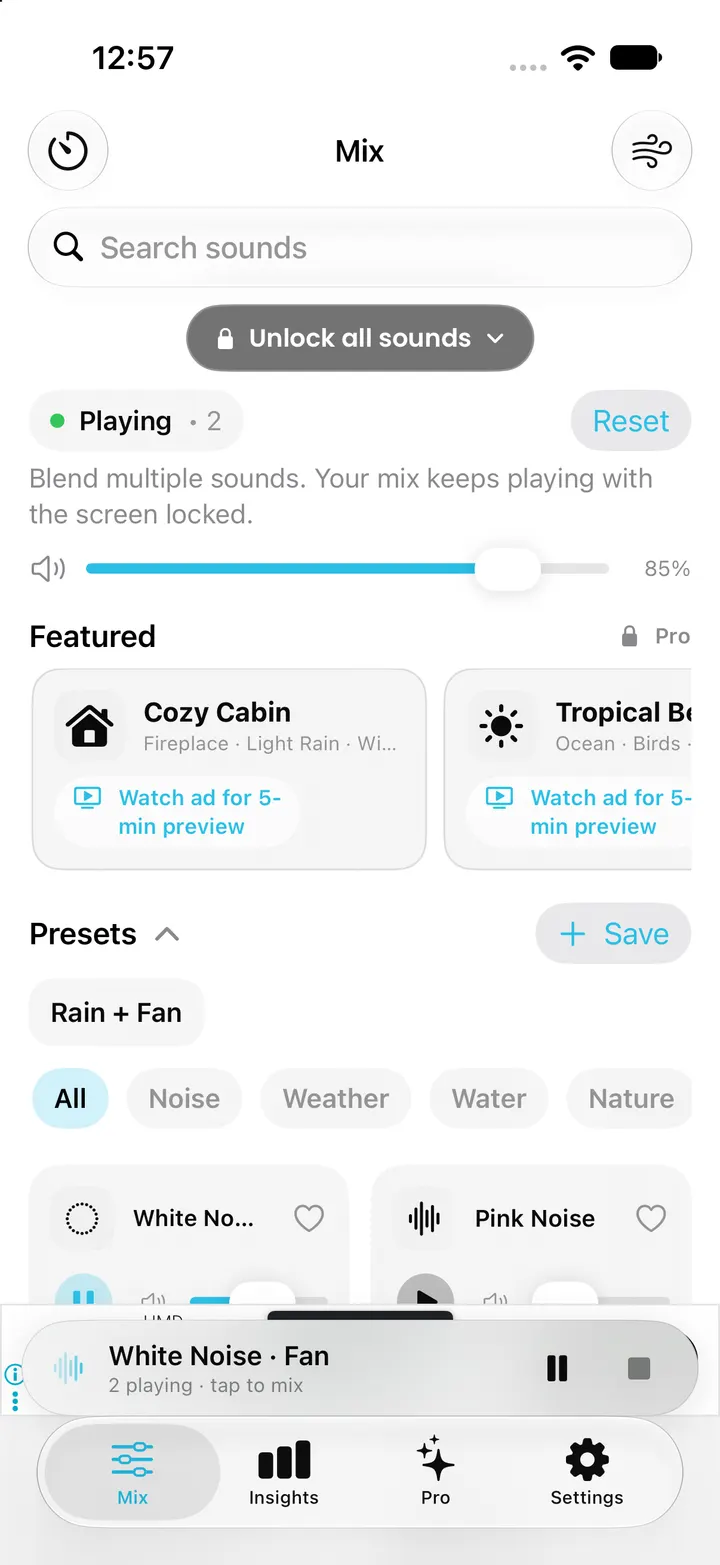
When a blend works, save it as a preset and give it a name. Free users can keep up to three presets; Pro removes the limit. Presets are saved on the phone together with your other settings.
A preset is the quickest way back to a known mix at bedtime: open the app, tap the preset, then set the timer. Small changes, such as a quieter fan on a warm night, are easier to judge when everything else stays the same.
Curated soundscapes
SleepMix also includes 20 ready-made soundscapes, such as Cozy Cabin, Tropical Beach, Rain On Tent, Sleeper Train and Snowed In. In the current version all 20 are part of Pro. Each one combines sounds from the library, so you can still move the individual sliders after starting it.
On the free tier, a locked soundscape card can offer a five-minute preview after a rewarded ad, once per soundscape per day. If no ad is available, the app shows the Pro screen instead. Watching an ad is never needed to keep using the free sounds.
A starter mix from the first-run questions
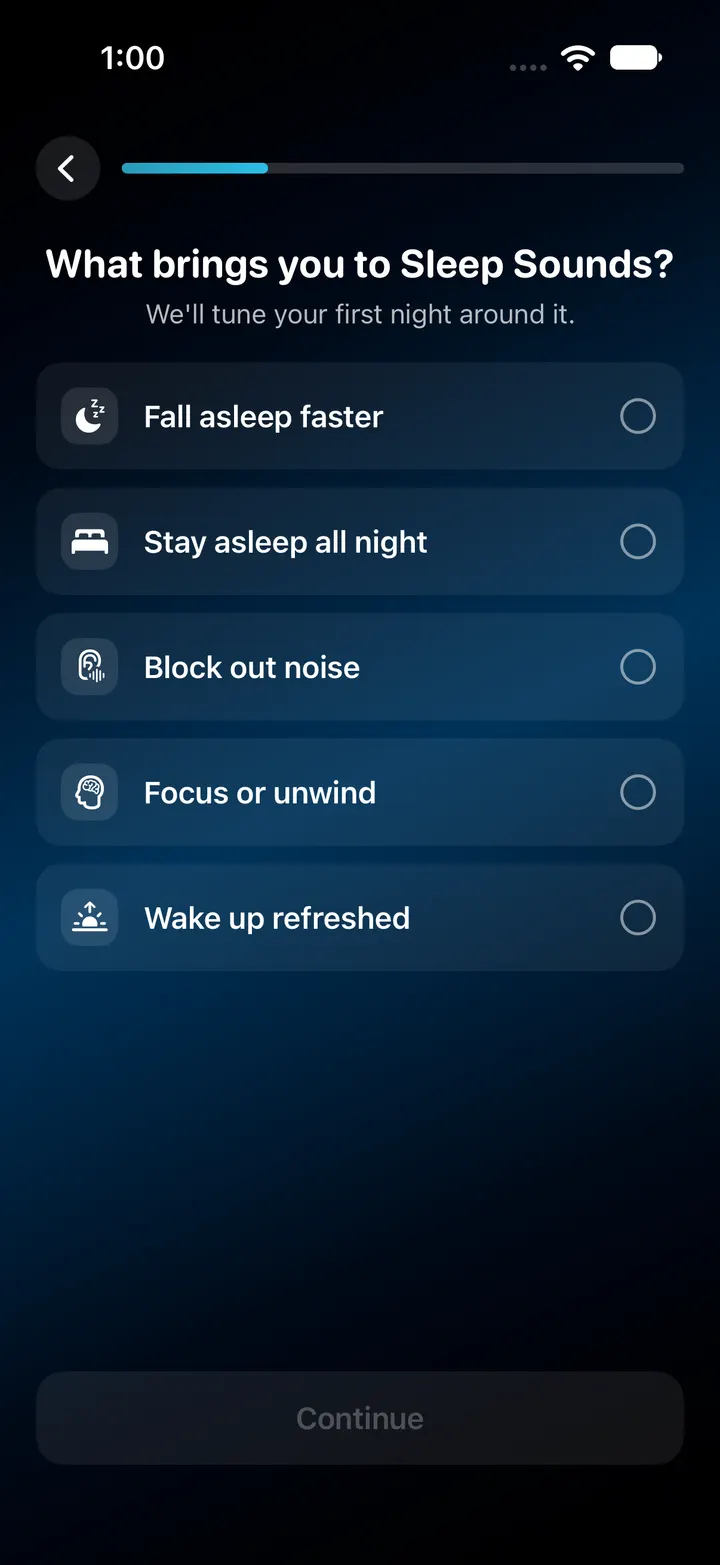
The first time you open SleepMix, it asks what you want help with and which kind of sound you like: rain, beach, forest, white noise or fireplace. It then builds a two-sound starter mix, for example Light Rain with Wind or White Noise with Fan, picks a timer length from your answer and saves the mix as a preset.
Think of the starter mix as a first draft. The questions choose sounds; they do not measure anything about your sleep. Adjust each slider afterwards and lower the master volume if the mix feels loud at the pillow.
Checked against the app’s source code and real simulator captures on 28 October 2026. Screenshots come from a clean iPhone simulator; demo or empty states are named in each caption. Features can change in later app updates.