SleepMix / Features
Choose when the sound stops
Most people do not need sound all night. The SleepMix timer lets a mix play while you settle, then ends it, with an optional short fade so the room does not fall silent with a jolt.
Set how long the mix plays
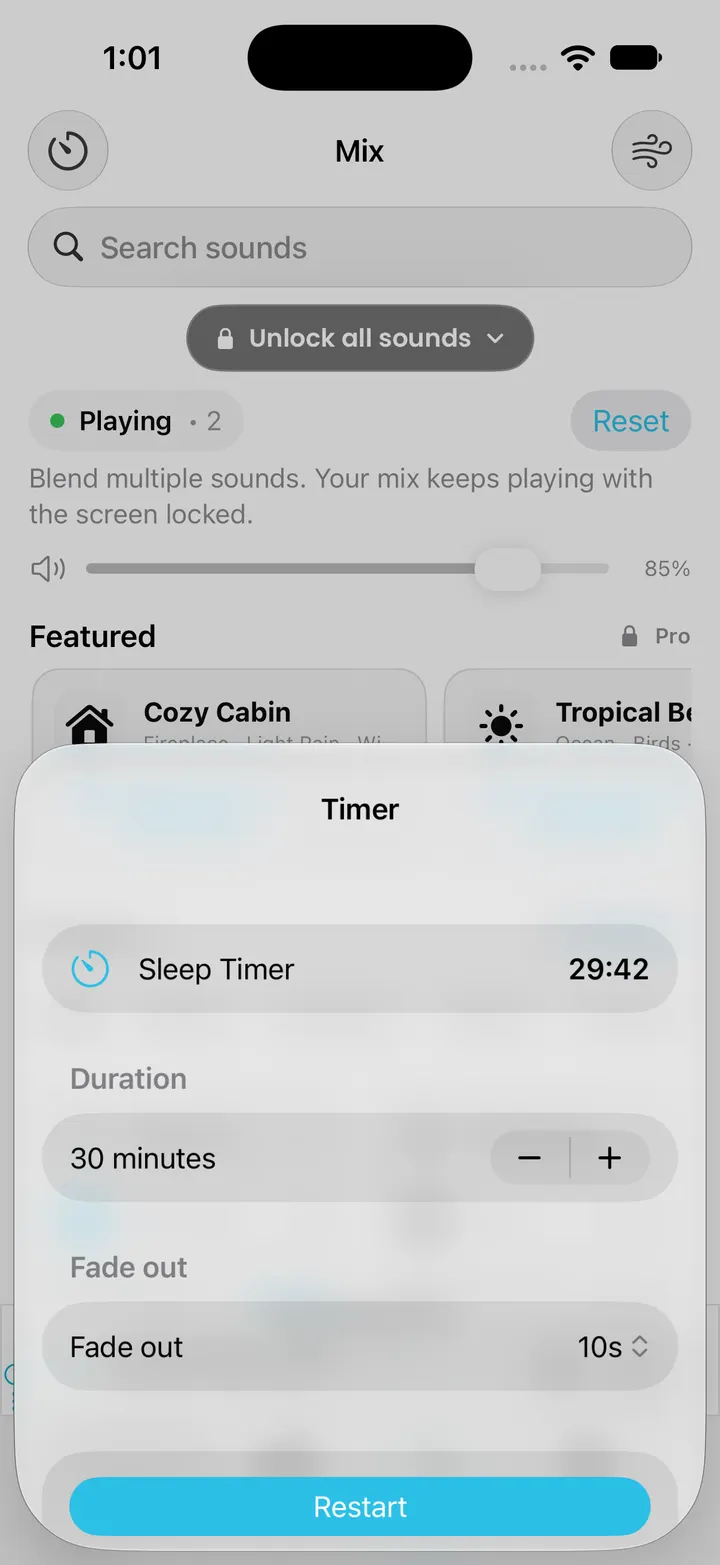
Open the timer sheet from the Mix screen and pick a duration from 5 minutes to 3 hours, in five-minute steps. Thirty minutes is the default. The countdown is shown inside the app while the mix plays.
When the timer reaches zero, every sound stops and SleepMix hands the phone’s audio back, so a podcast or music app you paused earlier can carry on. The finished session is added to Sleep Insights on the device.
Fade-out: a short, gentle ending
With Pro, the timer can fade the mix out instead of stopping at once. The choices are 5, 10, 20 or 30 seconds, and the volume falls in small, even steps across that time. It softens the final moment; it does not lower the sound gradually over the last half hour.
The free generator on this website works differently. Its fade-out is measured in minutes, follows a curve that sounds even to the ear, and is never longer than the timer you picked, so a long fade with a short timer no longer drops the level the moment you press Play.
Locked screen and interruptions
SleepMix is set up for background audio, so the mix and its timer keep running after you lock the iPhone. Play and pause controls appear on the lock screen and in Control Center. After a phone call or a Siri request, the app tries to restart the mix by itself. Unplugging wired headphones pauses it.
While it plays, SleepMix takes over the phone’s audio, so it does not blend with music from another app. There is no countdown on the lock screen: the app contains early code for one, but it was never seen working in testing, so check the remaining time inside the app.
Wind Down breathing
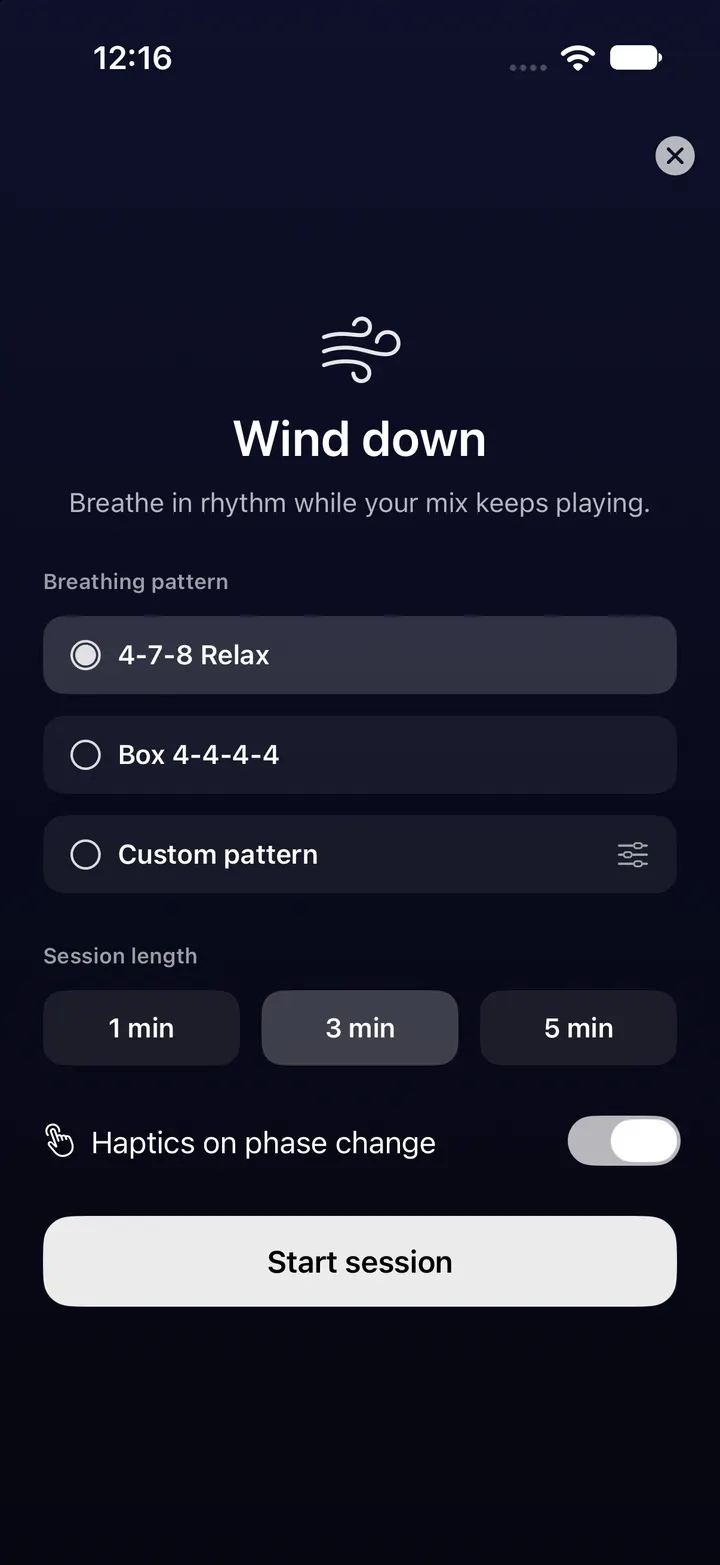
Wind Down is a visual breathing guide that runs on top of your mix. The 4-7-8 pattern is free. Box breathing (4-4-4-4) and a custom pattern with phases from 2 to 10 seconds are Pro. A session lasts one, three or five minutes. Phase haptics can be switched off, and with Reduce Motion turned on, a progress display replaces the expanding circle.
It is a pacing aid, not a treatment. Breathe at a pace that feels comfortable and stop if a pattern makes you uneasy.
A timer is not an alarm
The sleep timer only stops sound. For any time you must wake up, keep using the alarm in the iPhone Clock app.
Checked against the app’s source code and real simulator captures on 28 October 2026. Screenshots come from a clean iPhone simulator; demo or empty states are named in each caption. Features can change in later app updates.